
When the account holder is having a hard time logging in there a couple of common issues with easy fixes:
1) The most common issue is conflicted website accounts in the Ipad. Becasue the Admin and the email use the same user ID of your.name@nebraska.gov and we have to update our email password every 90 days, it is usual for the updated password to get applied to the admin account instead of the email account. Solve this by going into your settings and clearing the webpages and starting over.
A. Ipad -> Settings -> Password -> (Touch ID) accounts
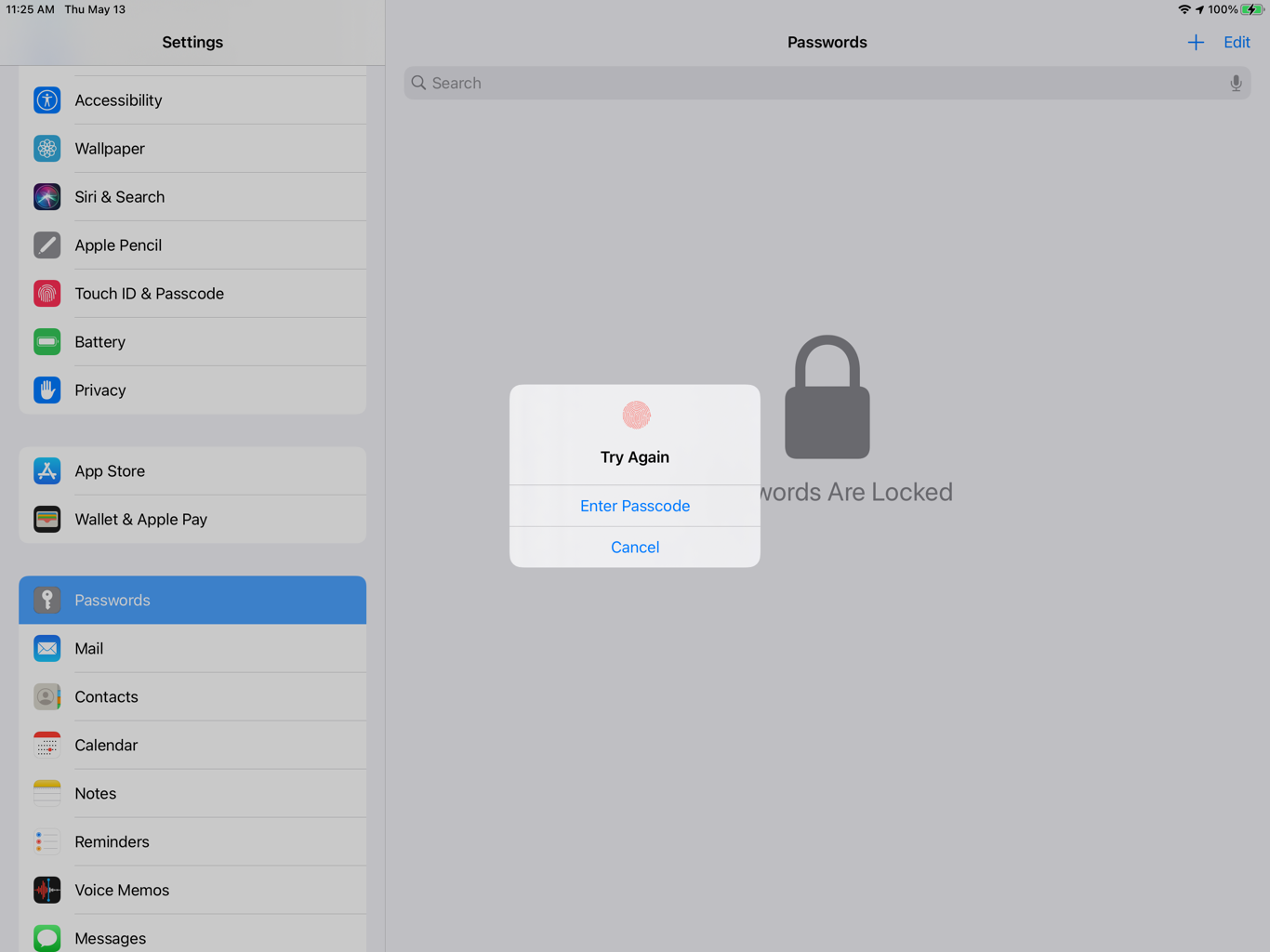
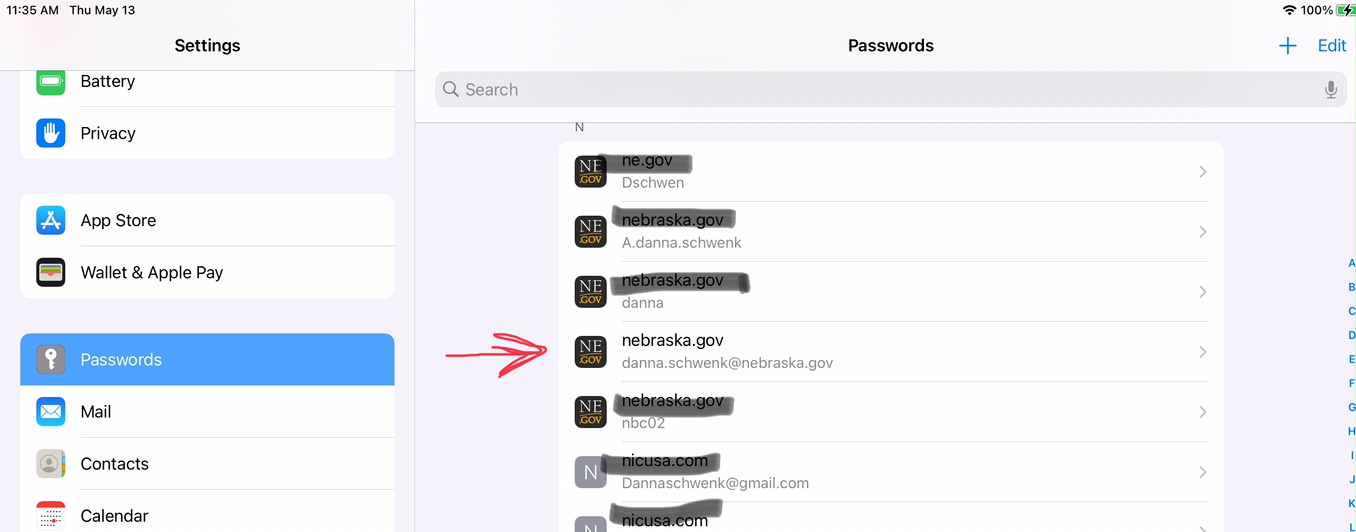
B. When vieweing the accounts you will see the user name under the website. Look for any that have the same username
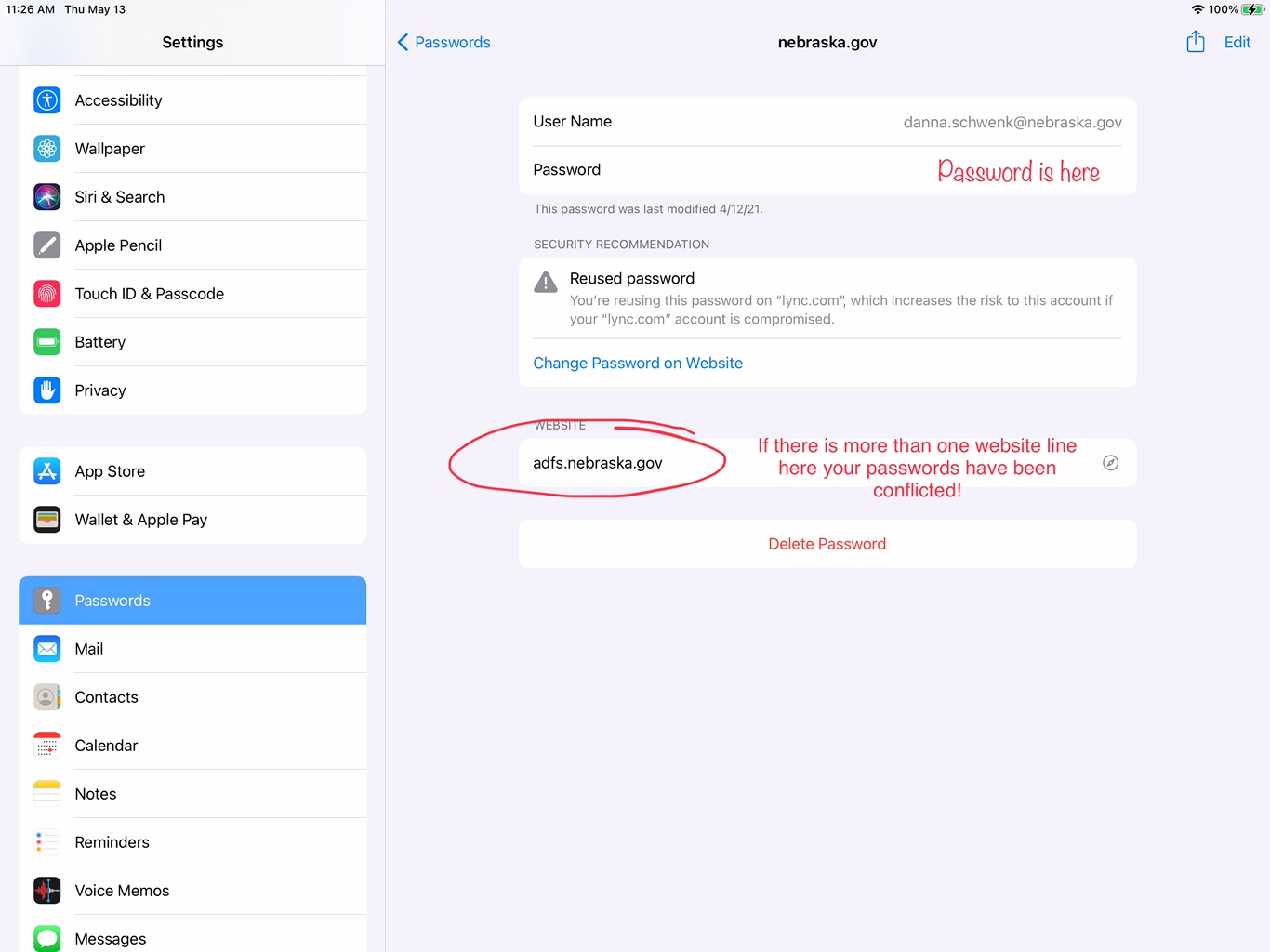
C. Select the account or accounts and view the websites associated. If there is more than one website this is your conflict. Swipe off the accounts (both is usually best) and start over logging back into each account from scratch.
(The password is removed for secruity in this screen shot but normally its visiable here)
D. When you start over logging in DO NOT use any touch ID options as that will tie it to an existing account and is usually how the conflict starts. Instead start from scrath on both user name and password. It will promp you to "Save Password" which you will want to do. If it suggests you should "Update password" that is how you know its looking at an existing account and will cause issues!
E. This is common if the staff are trying to use this on their ipad, phones, laptops etc. If it locks in one place it could very well lock on the others.
2. The next most common situation is the account is locked or the wrong password was used too many time causing the account to lock. At this point log into the ID.NEBRASKA.GOV website and select "locked account" or "forgot password" answer the security questions, reset or unlock and try it again.
3. If the account has not been used in 90 days it will be noted as "Inactive", you will need to contact OCIO and have them enable the account again, then reset the password for them. The password reset should go to the supervisor and Tech manager. Use the ID.nebraska.gov website to reset it for them or have them reset whichever works best.