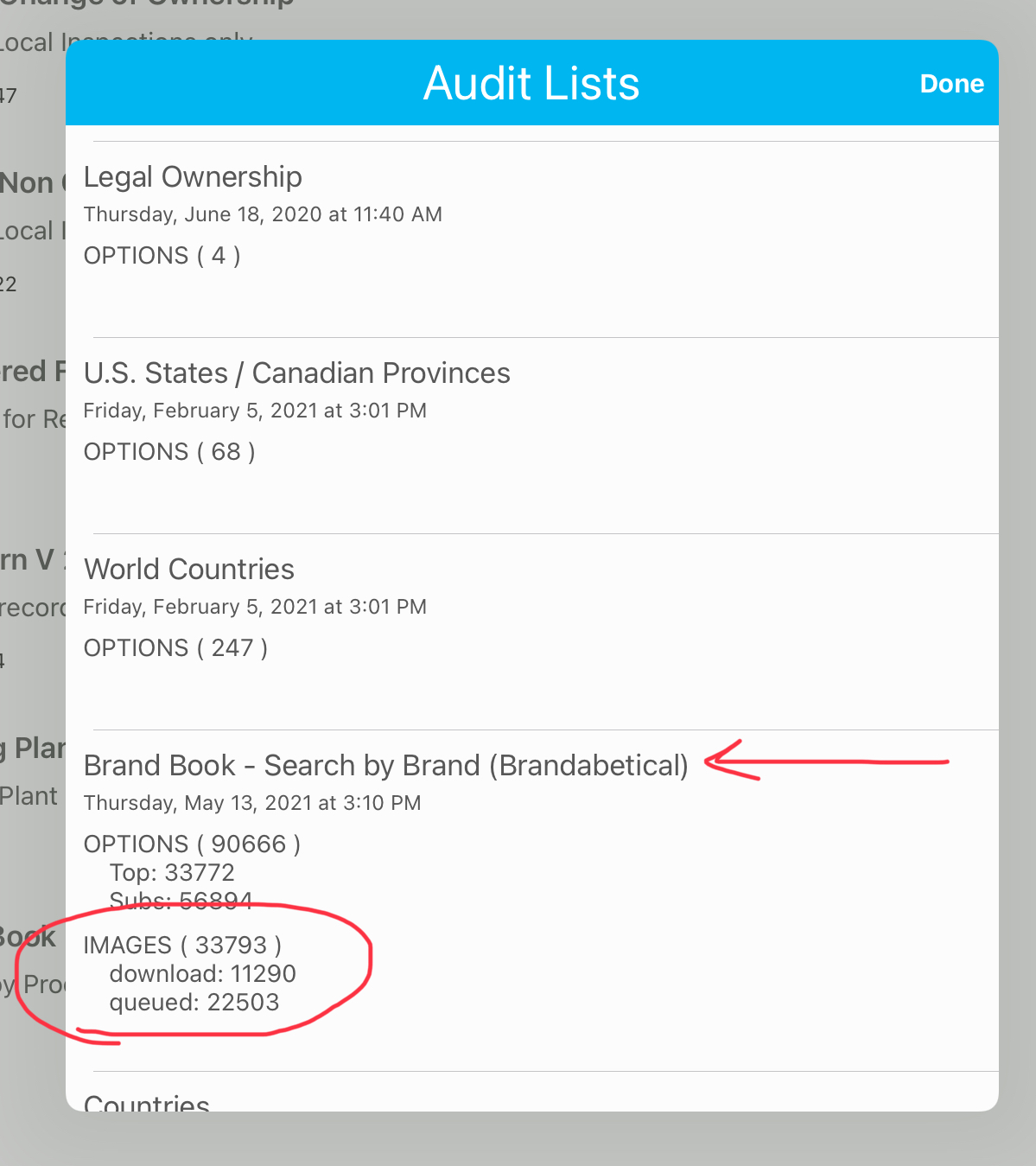
Normally the cause of the brands missing from either the Inspection side or the Brand book side is they did not have time to load fully before being disconnected from internet signal.
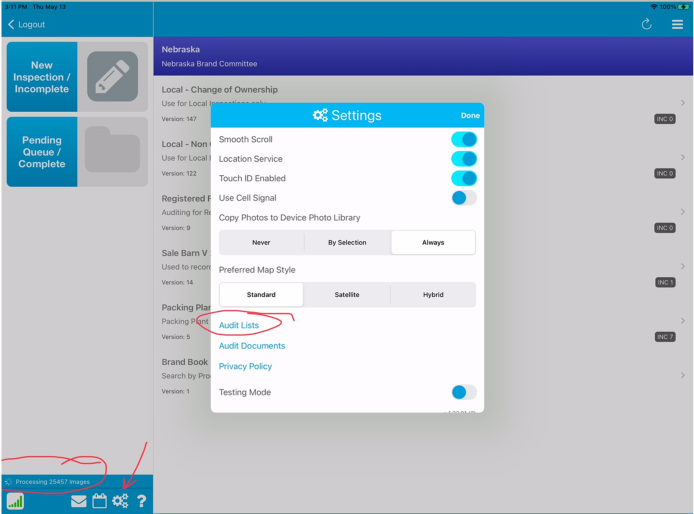
To verify where your system left off and when its completed the update, in your OnTheGo App you'll look in the lower left corner for the status and the settings.
1. Click New Inspection/Incomplete: it will start downloading the updates. Even after the message in the center of the screen completes you need to watch the message in the lower left corner.
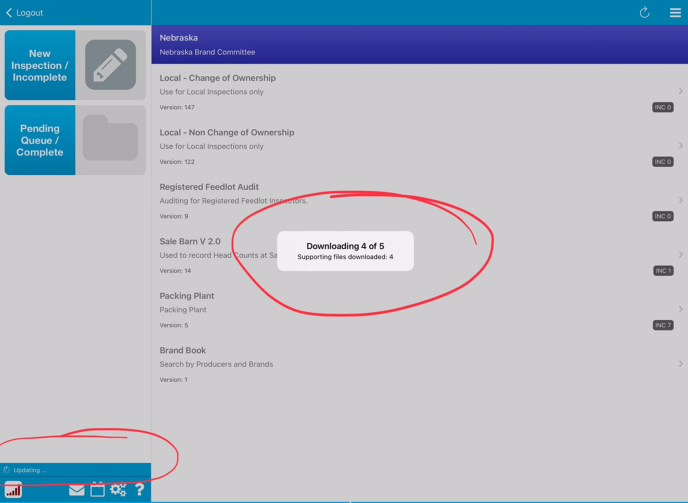
2. Once its downloaded now it starts to update the data. If you are wondering how far along it is or if it got them all, you can check the Audit List which is located in the Settings (Gears). Then click on the Audit LIst option.
3. Once in the Audit list you will see all the Tables that you can select options from. Some are updated quite a while ago as no information in those lists changed (like states or countries) and some lists like the Producer or Brand list will change daily.
We need to be able to see that the vast majority of all the records were downlaoded and good. If they are still queued or failed that means the list is not done and needs to stay connected until it completes. Generally there is around 35000+ images to download in the AllProducer/Brands section. This should be updated daily!
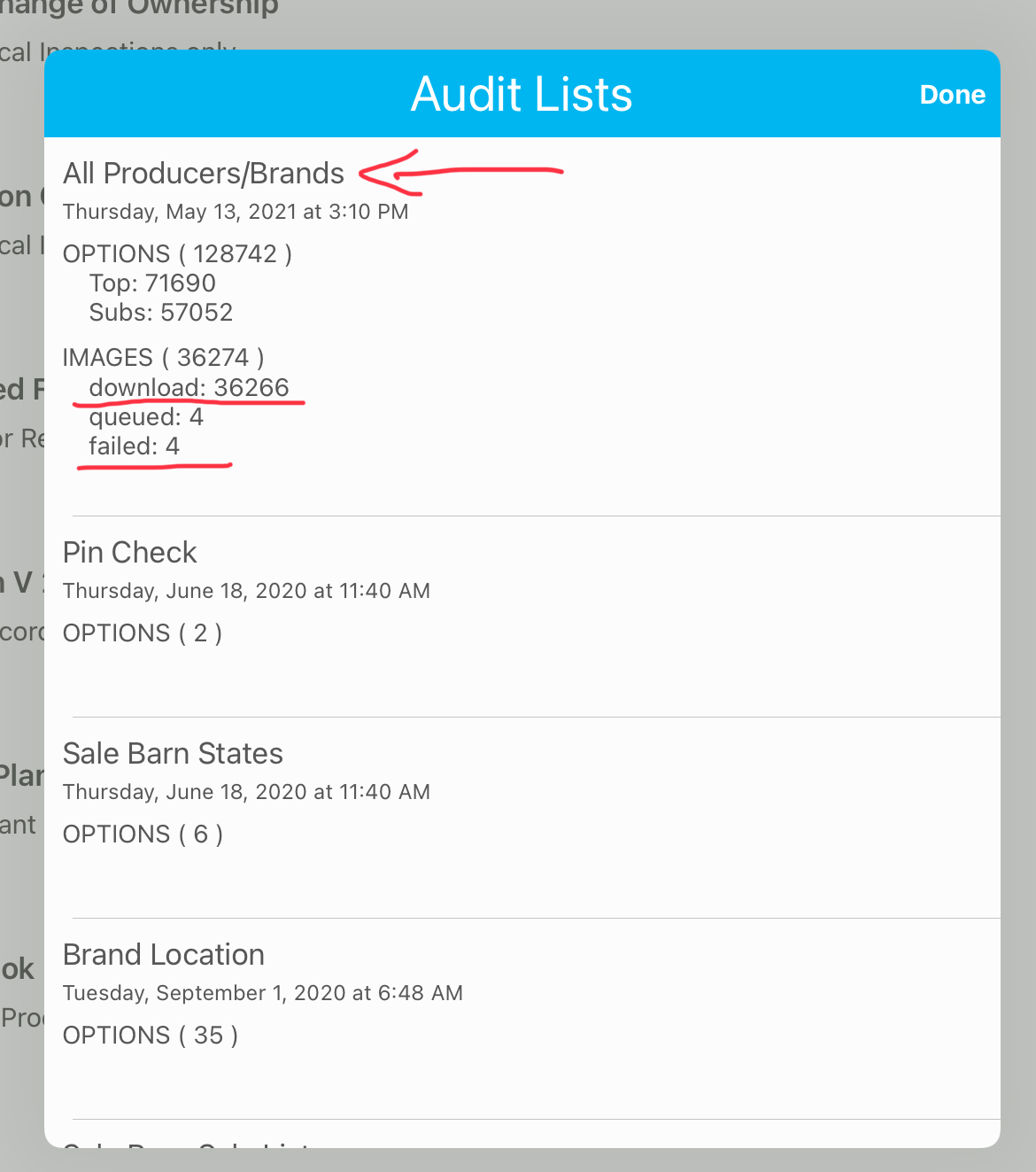
You'll notice the other tables like Brand Location and Sale Barn States that will hardly ever if never change so the date will be much later.
The other List to watch is the Brand Book. It should have close to the 35,000+ images as well in the download line. In this instance you can see its still downloading however as there are still 22,000+ queued up. If you click on the section or click "Done" and come back into the screen it will refresh the number. That will give you an idea of how lonf=g it will take for the rest of the data points to come in.